 EMZETT.
Microphone
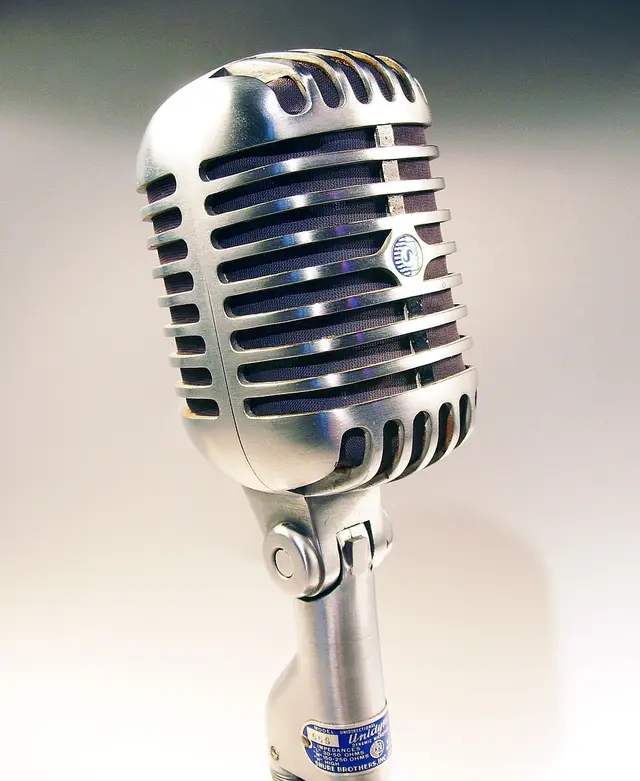 Image: Holger.Ellgaard, CC BY-SA 3.0, Wikimedia Commons


In short: An input device that converts sound waves into an electrical (analogue or digital) signal — the basis for voice recording, video calling and voice over IP.
In more detail: Microphones are connected either in analogue form (via a jack/AUX) or digitally (via USB, with a built-in converter). On laptops and webcams, a simple microphone is usually already integrated.
In Depth
Types: condenser vs. dynamic
Technically, a microphone capsule converts air pressure fluctuations into an electrical signal — the most common types are condenser microphones and dynamic microphones, which rely on fundamentally different physical principles. Condenser microphones use an extremely thin, conductive membrane which, together with a fixed counter-electrode, forms an electrical capacitor; sound waves move the membrane and thereby change the capacitance, which is converted into a signal. This type is very sensitive and detailed, but needs a small operating voltage (“phantom power”, usually 48V, supplied via the microphone cable itself) and is typical for studio/streaming microphones. Dynamic microphones, by contrast, work like a reversed speaker: a membrane moves a coil in a magnetic field, directly inducing an electrical voltage (electromagnetic induction) — more robust, need no external voltage, less sensitive to background noise and shocks, typical for stage/interview microphones.
Analogue and digital signal paths
With an analogue connection via a jack, the microphone delivers a continuous electrical AC signal that the sound card first has to convert into digital values via an analogue-to-digital converter (ADC) before the computer can process it further; a USB microphone already handles this conversion built in (a small ADC chip sits directly in the microphone housing) and delivers a digital signal directly to the computer — this removes the computer’s potentially noise-prone sound card as an additional link in the chain, which often leads to audibly better quality with cheap internal PC hardware.
Polar pattern
For video calling and streaming, besides pure microphone quality, the polar pattern is also relevant — i.e. from which direction a microphone preferentially picks up sound. Omnidirectional microphones pick up equally strongly from all directions, practical for group conversations with several people around a central microphone. Cardioid microphones (named after their heart-shaped pickup pattern) prefer sound from the front and considerably suppress noise from the side and behind — typical for single-speaker setups like podcasts or streaming. Figure-eight microphones pick up equally strongly from the front and back, barely at all from the side — practical for interview situations with two people facing each other.
Microphone arrays in compact devices
Many integrated laptop/webcam microphones combine several small capsules into a “microphone array” instead of installing a single, larger capsule — the limited space in a thin laptop case doesn’t allow for a large, high-quality single capsule. Through beamforming (the signals from the several capsules are combined in software so they effectively simulate a directional pickup pattern) and aggressive software noise suppression, usable voice quality can still be achieved despite the compact design, even though a dedicated external microphone practically always remains superior in terms of sound quality.