 EMZETT.
PCIe
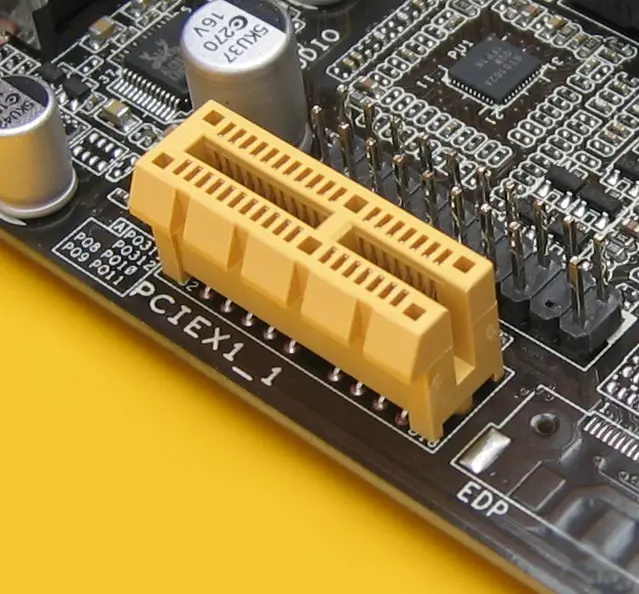 Image: Hans Haase, CC BY-SA 4.0, Wikimedia Commons

In short: “PCI Express” — the central high-speed interface on the motherboard, through which graphics cards, NVMe SSDs and other expansion cards are connected to the CPU and chipset.
In more detail: PCIe consists of individual serial data lines (“lanes”) that can be bundled (e.g. x4, x8, x16) — more lanes mean more bandwidth. Each PCIe generation (e.g. Gen 4, Gen 5) roughly doubles the bandwidth per lane compared to the previous one.
In Depth
Unlike the name “PCI Express” suggests, PCIe is technically no longer a classic shared bus, but a collection of independent, serial point-to-point connections (“lanes”) between the CPU/chipset and each individual component. Several lanes can be bundled into wider connections (x1, x4, x8, x16), where more lanes proportionally mean more bandwidth — a graphics card typically uses x16 for maximum data throughput, while a simple network card often gets by with x1.
With every new PCIe generation (Gen 3, Gen 4, Gen 5, Gen 6), the bandwidth per individual lane roughly doubles, with a backward-compatible design at the same time — an older PCIe 3.0 card also works in a newer PCIe 5.0 slot, but then only runs at the slower Gen 3 speed (the connection automatically “negotiates” the highest generation supported by both sides). How many PCIe lanes are available in total is limited both by the CPU itself and by the chipset — when a motherboard is fully populated with several expansion cards and NVMe SSDs, individual slots may therefore have to share the available lane count, which can reduce the actually usable speed.
PCIe lane allocation between CPU and chipset
Not all PCIe lanes in a system are equal: some lanes are connected directly to the CPU (typically reserved for the primary graphics card and the fastest NVMe SSD, with the lowest latency), while another portion runs through the chipset, which in turn only communicates with the CPU over a limited connection. If several expansion cards are plugged into chipset lanes at the same time, they share the available chipset-CPU bandwidth — with very data-intensive applications (several fast NVMe SSDs plus a network card all under full load at once), this can become a noticeable bottleneck that pure lane-count figures in a datasheet don’t immediately reveal.
PCIe slots: physical vs. electrical
A slot can be physically larger than it’s actually electrically wired for — a physical x16 slot, for example, can be wired with only x4 lanes (often the case for secondary graphics-card slots on cheaper motherboards). A card then fits in mechanically, but only runs with the lower electrical connection — a common pitfall when building a PC with several expansion cards, which can only be avoided by checking the motherboard manual.
See also: NVMe, Graphics cards, Expansion Cards, Chipsets