 EMZETT.
Virus
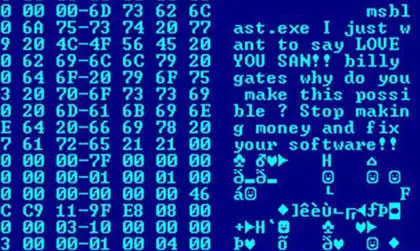 Image: admin, Public domain, Wikimedia Commons

In short: A type of malware that attaches itself to other programs or files and spreads as soon as the infected program is run.
In more detail: Unlike a worm, a computer virus needs a “host” (another program or file) to spread — it can’t copy itself over a network on its own. Viruses can range from harmless (merely annoying) to destructive (deleting data, rendering a system unusable). The term is often colloquially, but incorrectly, used as a synonym for malware in general, but is technically only one specific subtype of it.
In Depth
The malware family can be clearly distinguished by how it spreads — a point that’s often mixed up in everyday language:
Virus  - needs a host (program/file), only spreads once the host
         is executed, usually through user interaction
Worm   - standalone, spreads on its own over networks, without
         anyone having to execute anything
Trojan - disguises itself as a useful program, doesn't spread
         by itself, but is voluntarily installed by the victim
A classic computer virus works in principle like its biological namesake: it attaches itself to an executable file (e.g. an .exe) and modifies its code so that, when the program is started normally, the virus code runs alongside it — this typically then looks for other files it can also attach itself to, before letting the actual host program continue running normally, to stay undetected for as long as possible.
Historically, file viruses were the dominant form of malware in the 1990s (spread via infected floppy disks/USB sticks), but are considerably rarer today than worms and trojans — modern malware usually spreads more efficiently over networks or via social engineering (phishing attachments), instead of relying on the slow method of “attaching to files”. Nevertheless, the term “virus” has become established as a colloquial umbrella term for practically any kind of malicious software, similar to how “Kleenex” colloquially stands for tissues of any brand.
Polymorphic and metamorphic viruses
More advanced virus variants specifically try to evade signature-based antivirus detection: a “polymorphic” virus encrypts its own malicious code with a different random key on every new infection, so that its binary fingerprint looks different every time, even though the actual functionality stays identical — classic signature detection, which looks for an exact known byte pattern, fails against this. “Metamorphic” viruses go a step further and even structurally rewrite their own functional code with every infection (e.g. changing the order of instructions, using equivalent but differently-looking instructions), without relying on encryption at all. Modern antivirus software responds to this with behaviour-based detection instead of pure signature checking: instead of looking for a known byte pattern, it observes WHAT a program does (does it try to attach itself to other files? does it modify system files unusually?) — an approach that also works against previously unknown but suspiciously behaving malicious software.
Macro viruses as their own category
A particularly long-lived type of virus is macro viruses, which don’t attach themselves to executable programs but to office documents (Word, Excel), by abusing these programs’ built-in macro scripting language — when the document is opened with macros enabled, the application itself executes the malicious code. This form of attack remains relevant to this day, because it very effectively lures users into carelessly activating macros via deceptively genuine-looking email attachments (e.g. a supposed invoice as a Word document) — modern versions of Office therefore disable macros by default and show a clear security warning for documents from external sources, before macros are even allowed to run at all.
See also: Malware, Ransomware